


Register events in the share ledger
Register all events, and NVR takes care of the rest
Easily manage everything from ownership changes to complex processes such as share issues, whether you are a large or small company, with a dedicated digital service for your share ledger.

More than 30,000 limited companies have simplified their administration and use Sweden's leading digital share ledger service


How it works
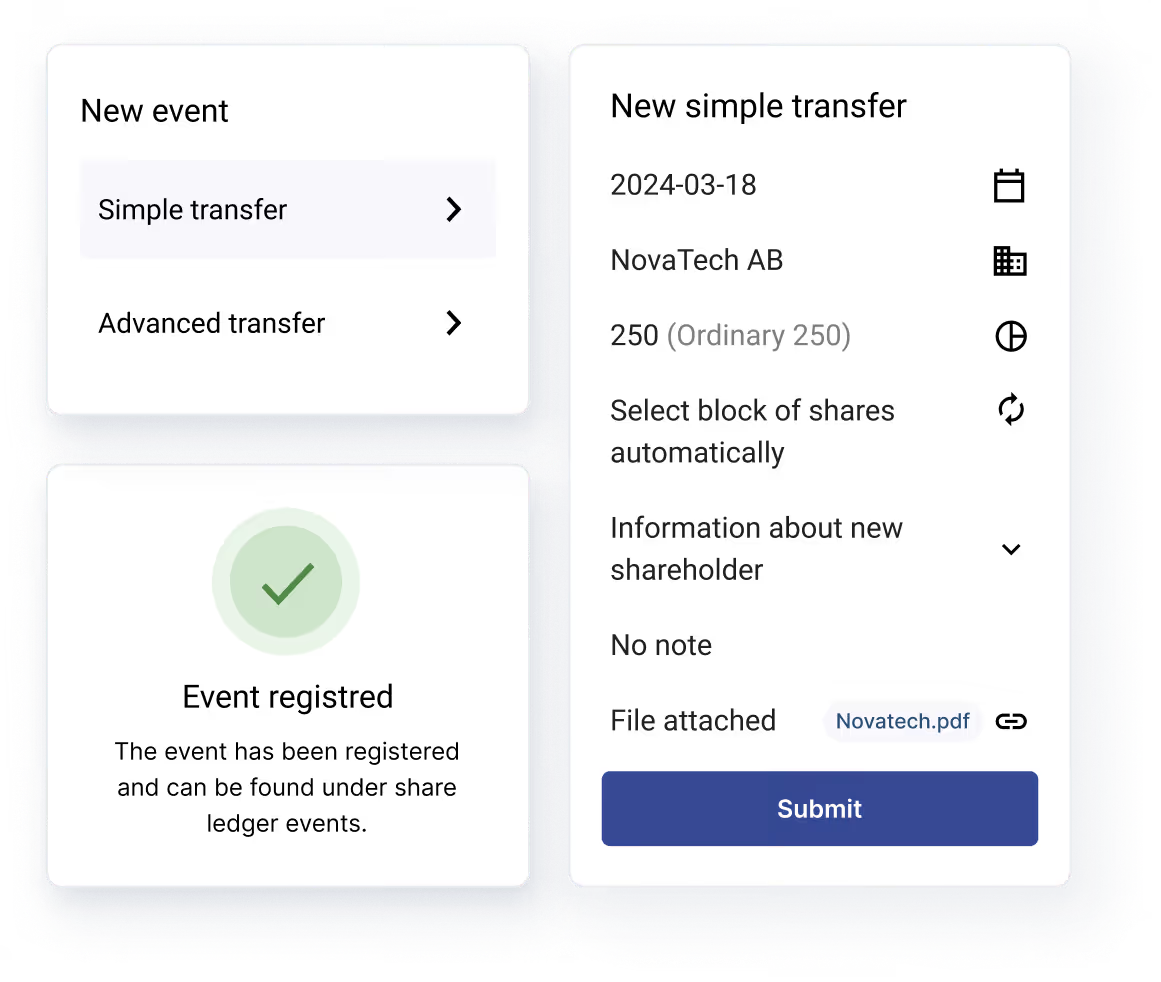
A few clicks, and you're done
Simple and seamless registration of events. Update your share ledger in no time.
With built-in validation and automatic calculations, NVR’s digital share register makes it easy to handle complex transactions, regardless of transaction or company size, so you can spend minimal time on administration and focus on what matters most.
Save time with a solution that makes it easy to do it right

Automatic calculations
When you register an event in the share ledger, figures such as valuation and quota value are calculated automatically, with the cap table and reports updated instantly for all companies.

Built-in validation
The product is designed to prevent errors when updating your share ledger, regardless of how complex the event is. The platform also clearly indicates what needs to be corrected if anything is incomplete or inconsistent.

Share issues, splits and other events
Even complex events are easy to register. The platform ensures that all inputs are validated and processed correctly, allowing stock splits and share issues to be registered in no time.

Auto-generated settlement notes for transfers, share issues and cancellations
When a transfer or share issue is registered, a settlement note is automatically generated for the buyer and seller and made available digitally within the platform.

Updated for all companies and shareholders
With a cloud-based digital service, shareholders are notified instantly whenever events that affect them are registered.
Something more complex?
A large Excel file?
We digitise your share ledger and register everything for you.
Transfers, share issues and equity events
Manage all types of events
NVR has been designed to cover every scenario that affects the share ledger. The following events are automatically and correctly registered in NVR:
Simple share transfer
A seller and a buyer
Complex transfer
One buyer to many sellers, many sellers to one buyer, or many buyers to many sellers
New share issue
The company issues new shares by injecting new capital from existing or new shareholders
Non-cash issue
The company issues new shares in exchange for non-cash contributions from existing or newshareholders.
Bonus issue
The company increases its share capital without shareholders injecting new capital, either by issuing new shares or by increasing the quota value.
Stock split
The company increases the number of shares by dividing a share into two or more shares with a lower quota value.
Reverse stock split
The company reduces the number of shares by merging two or more shares into fewer shares with a higher quota value.
Pre-emption clause and restrictions
A decision has been made to limit the transfer of shares or share classes through a pre-emption clause or other restrictions
Share reclassification
All or individual shares are rebranded from one share class to another
Reduction of share capital
Reduction of share capital can be carried out with or without withdrawal of shares
Share certificates
Manage issue/cancellation of share certificates.
Dividend paid to another person
Add/remove stock dividends paid to another person.
Notes
Add/remove notes.
Pledge of shares
Add/remove pledge of shares in the share ledger.
Digital share ledger online
A complete platform that makes it easy to manage ownership
Always up to date with a cloud-based solution
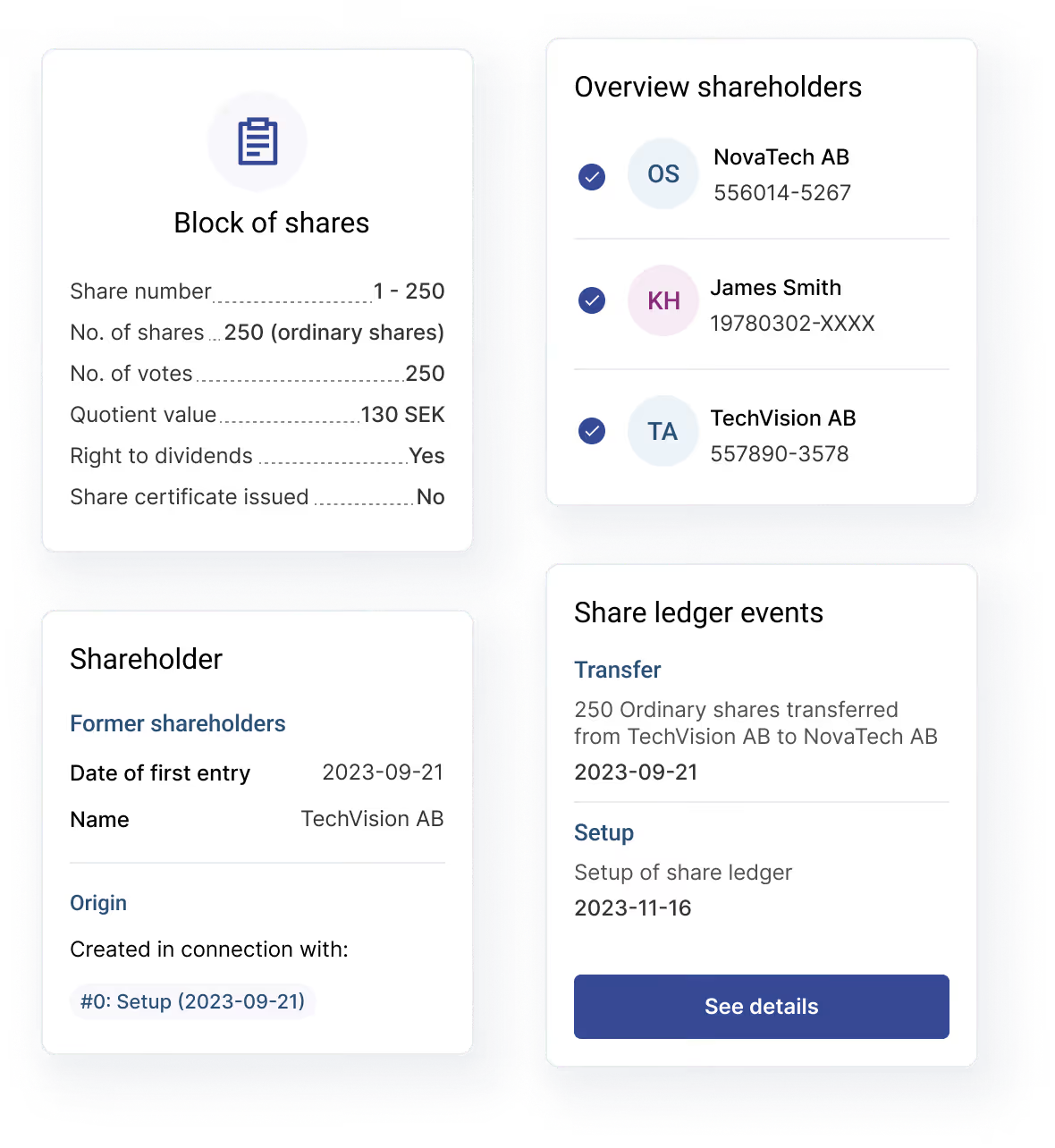
As soon as an event is registered, your digital share ledger is instantly updated online for all shareholders and stakeholders.
Clear ownership overview
Once the event has been registered, the group ownership tree and shareholder holdings are automatically updated, providing a complete cap table.
Generate reports in just a few clicks
All auto-generated reports always pull data directly from the calculations performed when a new event is registered.
Updating the share ledger
When and how should the share ledger be updated?
What type of event affects the share ledger?
Events may include standard transactions, new share issues, share reclassifications, splits and much more. See the list above for the events we support.
When should the share ledger be updated?
In simple terms, the share ledger should be updated as soon as possible after anything that affects ownership – and therefore the shares or the company’s capital – has taken place. This may be a split, a share issue, a transfer, or another event.
How do you update the share ledger?
Registration is handled easily within the system, and we support a wide range of events. For example, you can update the share ledger in connection with a new share issue. Once a new event has been registered, the changes are automatically reflected in reports and ownership overviews.
A long-term solution that makes it easy to do things right
| NVR | Word and Excel | |
|---|---|---|
| Notices and notifications for events |  |  |
| Automatic validation of input for complex events | | |
| Simple version control | | |
| Full traceability of history | | |
| Available to all shareholders and the board 24/7 | | |
| Automatic calculations for splits, share issues and other events | | |
| Ability to generate digital share certificates | | |
| Shareholder custody account | | |
| Automatically generated reports | | |
| Integrations with third-party registers | | |
| Easy to comply with laws and regulations | | |
What our customers say
NVR is trusted by companies that demand accuracy.

Christoffer Ekström, CEO at AI Medical Technology

Hans Denovan, CFO at PDS Vision
Frequently asked questions about the share ledger
Everything you need to know about NVR, the share ledger and our digital share register service

Säkerställ att man har rätt identifiering på alla ägarna. Är det svenska ägare så validerar NVR automatiskt på person- och organisationsnummer där adress hämtas via tillgänglig register.
Aktieboken uppdateras inte hos Bolagsverket. Däremot så kräver vissa förändringar registrering på bolagsverket och det kan också vara så att verklig huvudman ändras som en konsekvens av förändringar i aktieboken och detta ska då uppdateras på Bolagsverket.
Man behöver fördela de nya aktierna de som tecknat dem. Följande information om tecknarna ska framgå av aktieboken, person/orgnummer, namn, adress samt datum för införande (datum för emissionen)
Beroende på vilken typ av förändring som skett så uppdateras aktieboken genom att man registrerar en ny händelse i NVR.
Registrera en indragning av aktier (se våra guider)
Beroende på vilken typ av förändring som skett så uppdateras aktieboken genom att man registrerar en ny händelse i NVR.
Beroende på vilken förändring som skett så följer man stegen i våra guider. NVR har stöd för all förändringar som påverkar aktieboken. T.ex. kan du enkelt registrera aktieöverlåtelser, avancerade överlåtelser, administrera saker såsom förbehåll för vissa innehav och mycket mer.
Om du ska registrera ett innehav eller en aktiepost med hembudsförbehåll eller förköpsförbehåll gör du enkelt det genom att ange det när du upprättar din aktiebok, eller registrerar en emission eller överlåtelse i din aktiebok.
En aktiebok ska uppdateras omgående när förändring har skett och får inte vara äldra än 3 månader gammal.
Registrera enomstämpling av aktier (se våra guider)
Ett optionsprogram föregås normalt av ett styrelsebesult om att ställa ut ett givet antal optioner. Detta antal utgör programmets högsta tillåtna antal optioner som kan ges ut. Normalt följs detta sedan av att samtliga eller delar av det totala antalet ges ut till nyckelpersoner. Beroende på.
Teckningsoptioner registreras inte i aktieboken utan är ett separat register som i sig liknar en aktiebok och kan också påverkas av tex en split.
Du registrerar enkelt en fondemission och får aktieboken uppdaterad automatiskt genom att registrera fondemissionen i NVRs plattform. Välj vilket bolag du vill registrera fondemissionen för, klicka på registrera händelse, fondemission och fyll sedan i efterfrågade uppgifter. När du gjort det uppdateras direkt alla rapporter, ägaröversikter och aktieposter.
Du uppdaterar enkelt aktieboken vid en nyemission genom att registrera den i NVRs plattform. Välj vilket bolag du vill registrera nyemission för, klicka på registrera händelse, nyemission och fyll sedan i efterfrågade uppgifter. När du gjort det uppdateras direkt alla rapporter, ägaröversikter och aktieposter.
Nya ägare tillkommer oftast via överlåtelser eller emissioner. Läs våra guider för hur man registrerar detta korrekti aktieboken.